
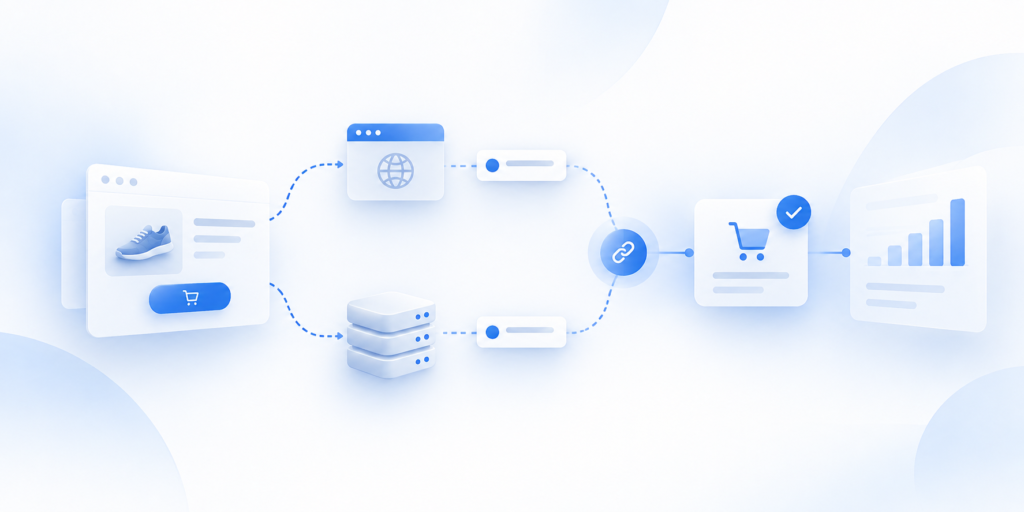
CAPI deduplication is what prevents one real conversion from being treated as two when browser and server paths both report the same business event.
The short answer: browser and server tracking can both send a valid representation of the same purchase, so the implementation needs a consistent way to identify that they belong to one transaction. If event identity is missing or inconsistent, one order can be counted twice, values can be overstated, and the reporting layer becomes harder to trust.
Why the same purchase can arrive twice
A duplicate purchase does not always start with a broken platform.
Sometimes it starts with two measurement paths doing exactly what they were configured to do.
A customer completes one order.
The browser detects the purchase and sends an event.
The server-side workflow receives or creates another representation of the same purchase and sends that event too.
From the business's point of view, there was one transaction.
From the destination's point of view, there may now be two incoming events that look similar.
If the implementation gives the destination a reliable way to understand that both events belong to the same order, the overlap can be handled.
If it does not, one real purchase can look like two conversions.
This is why duplicate conversion problems should be investigated at the event level, not only by comparing dashboard totals.
The useful question is:
How many technical event representations were created for one real business transaction?
Once you can answer that, deduplication becomes much easier to diagnose.
How event deduplication is supposed to work
Deduplication is the coordination layer between overlapping event paths.
It does not mean deleting every repeated-looking event.
It means recognizing when two incoming events are actually two representations of the same business action.
That usually depends on consistent event identity.
The exact fields and matching behavior vary by destination, so platform-specific requirements must be checked against current official documentation.
The architectural principle is stable: one real business conversion should have a consistent way to be recognized across the paths that represent it.
Browser event
The browser-side event is created close to the user's interaction.
For a purchase, that may happen when the confirmation page loads or when the browser receives a purchase signal from the site.
That event can contain details such as the event name, value, currency, and an identifier tied to the transaction.
The important part is consistency.
If the browser calls the event "Purchase" but the server uses a different event definition for the same business action, matching becomes harder.
If the browser uses one identifier and the server generates an unrelated one, the two paths may no longer look like the same transaction.
Server event
The server-side event represents the same underlying business conversion from a controlled processing path.
It may come from the ecommerce platform, backend, order system, or another supported source.
Before delivery, the server-side workflow can validate the event, check values and identifiers, apply routing rules, and prepare the destination-specific request.
If the server event represents the same purchase as the browser event, the two paths need coordinated identity.
That does not mean every field must be identical.
It means the implementation needs enough consistent information to understand that both events refer to one real order.
Shared event identifier
A stable event identifier is one of the most useful controls in an overlapping browser-and-server setup.
The exact field name and matching rule depend on the destination.
But the role is simple: give the same business event a consistent identity across paths.
For example, if one real purchase is represented in both browser and server flows, the system should not treat the two representations as unrelated conversions.
A shared identifier can help the destination or delivery logic recognize the relationship.
The key is that the identifier must actually be stable.
If the browser creates one value and the server independently generates another, the field exists but the coordination is still broken.
Common reasons deduplication fails
Most deduplication failures are not mysterious.
They usually come from inconsistency.
The same business transaction enters the tracking system more than once, but the paths do not agree on how that transaction should be identified or represented.
Missing event ID
The simplest failure is that one path has no usable event identity.
The browser sends a purchase.
The server sends the same purchase.
But only one of them has the identifier required by the implementation.
Now the destination has less information to connect the two events.
A missing identifier does not automatically prove double counting, because platform rules vary.
But it is a strong reason to inspect the event path more closely.
Different identifiers
Another common failure is having identifiers on both events but generating them independently.
This can look correct in a technical checklist.
Both events have IDs.
But if one ID is A123 and the other is a random unrelated value, they do not coordinate the same transaction.
The question is not "Does every event have an ID?"
The better question is "Does the same business event keep a consistent identity across every path that represents it?"
Timing differences
Timing can make diagnosis harder.
A browser event may be sent immediately after the customer completes checkout.
The server event may be created or delivered later.
Different delivery timing does not automatically mean deduplication is broken.
But large or inconsistent timing gaps can make it harder to trace whether the two events are actually the same transaction.
That is why timestamps should be reviewed alongside order IDs, event IDs, values, and source data rather than in isolation.
The exact timing rules for platform-side matching are destination-specific and should not be assumed.
Incorrect or duplicated implementation
Sometimes the problem is not browser versus server at all.
The same event may be implemented more than once inside the browser.
Or more than one server workflow may send the same purchase.
A legacy tag may still be active after a new implementation was added.
A plugin, custom script, tag manager setup, and backend integration may all be contributing events.
In that situation, "fix the event ID" may not be enough.
The team first needs to identify how many implementations are creating the event and which one is supposed to be authoritative.
How duplicate purchases distort reporting
Duplicate conversions create a basic measurement problem: the tracking layer stops representing the business accurately.
One real order can look like two.
That can inflate conversion counts.
It can inflate reported conversion value.
It can also make browser-versus-server diagnostics confusing because the team may not know whether a higher count represents better coverage or accidental duplication.
The impact goes beyond one dashboard.
Marketing and optimization systems depend on conversion signals.
If the signal says two purchases happened when only one did, the data being used for analysis or optimization is no longer a clean representation of reality.
That does not mean every platform will react to duplicates in the same way.
The exact reporting and optimization behavior is destination-specific.
But the business problem is clear: unreliable event identity reduces trust in the measurement system.
The goal is not to make every destination report the exact same total.
The goal is to make sure one business transaction is not unintentionally represented as multiple independent conversions.
How to check whether purchases are being deduplicated correctly
Start with the source of truth, not the advertising dashboard.
Take a small sample of completed orders from the store.
For each order, trace how the purchase is represented across the event paths.
Check:
- order ID;
- browser event ID;
- server event ID;
- purchase value;
- currency;
- event timestamps;
- delivery status;
- destination outcome.
Then ask three questions.
First: How many real orders happened?
Second: How many technical purchase events were created for each order?
Third: Can the system reliably tell which events belong to the same transaction?
If one order creates a browser and server event with coordinated identity, the overlap may be intentional and healthy.
If the same order creates multiple events with unrelated identifiers, you have a stronger reason to investigate duplication.
If two events have the same value but belong to different order IDs, they may be separate legitimate purchases.
This is why deduplication should never be diagnosed from event count alone.
The strongest process is reconciliation:
source order → browser event → server event → destination result
That sequence shows whether the problem started at the source, in event creation, in identity coordination, or during delivery.
If duplicates are already affecting important purchase data and the failure point is unclear, the next useful step is a dedicated duplicate-purchase diagnostic or a broader Tracking Health Audit.
The point is to find the failing layer before removing events or integrations blindly.
Related guides
Frequently Asked Questions
Why can one purchase appear twice?
Browser and server can independently emit the same business purchase.
How does an event ID help?
A consistent identifier helps match two representations of one business event; exact platform behavior must be verified.
Why does deduplication fail?
Missing/inconsistent IDs, mismatched event definitions, timing differences or duplicate implementations.
How do duplicates affect reporting?
They can inflate conversion counts/value and reduce confidence in optimization data.
How do you confirm deduplication works?
Reconcile source orders with event IDs, counts, values and destination outcomes.