
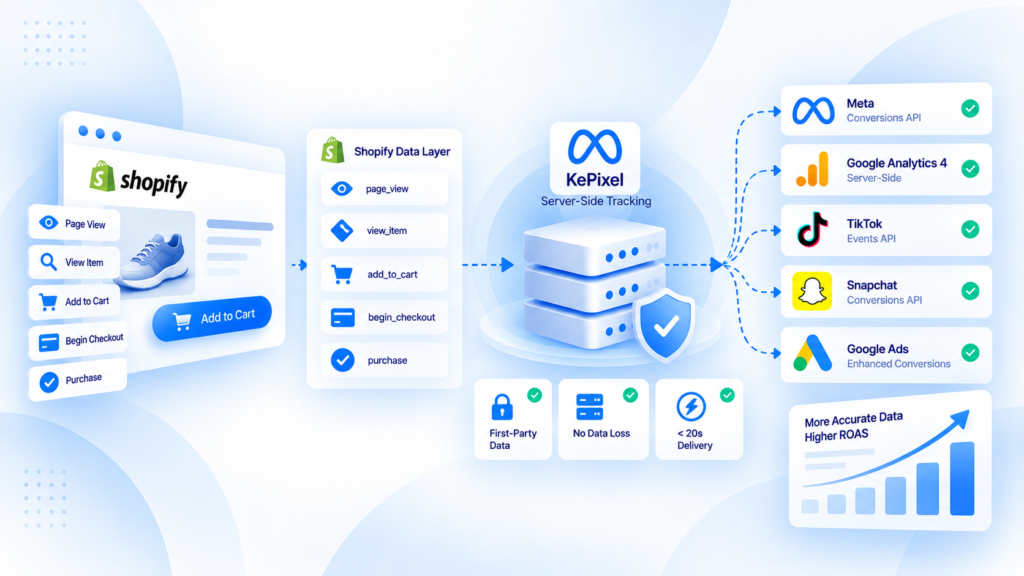
Shopify server-side tracking should start with Shopify's actual customer-event and order flow, not with a requirement to install another tracking app.
Shopify provides customer-event and Web Pixel mechanisms for browser-side measurement. A server-side layer becomes useful when it solves a specific problem such as missing Purchase events, duplicate senders, inconsistent destination mapping, or poor observability.
Understand the Shopify event sources first
A Shopify store can accumulate several measurement paths:
- native channel integrations;
- app pixels;
- custom pixels;
- analytics subscriptions to Shopify customer events;
- theme or app code;
- Google Tag Manager;
- backend or server-side workflows.
Before adding another layer, list which of these systems can send your business-critical events.
Shopify customer events are not the same as backend order truth
Browser-side customer events describe what happened in the storefront or checkout experience.
The order system records the commerce outcome.
Those two views should be reconciled rather than treated as interchangeable.
For Purchase measurement, ask:
- which event represents checkout completion;
- which order ID is available;
- whether the event can fire more than once;
- whether a backend-confirmed order is also sent elsewhere;
- whether refunds and cancellations need separate handling.
When a server-side layer is worth investigating
A managed or custom server-side layer may be justified when:
- real Shopify orders are missing from a destination;
- the same order is sent by more than one app or integration;
- click or browser identifiers disappear during the checkout journey;
- several destinations need one controlled event definition;
- the team needs delivery logs and repeatable diagnostics;
- agencies need consistent measurement controls across multiple stores.
If Shopify orders and destination events are already reliable enough for the decisions you make, another layer may add complexity without fixing anything.
Common Shopify tracking failure classes
Collection failure
The expected customer event never occurs, or the event is attached to the wrong lifecycle moment.
Ownership failure
Two apps or integrations both send Purchase and no one knows which one should own it.
Mapping failure
The event exists, but value, currency, item IDs, or identifiers are transformed incorrectly before delivery.
Continuity failure
Useful browser or click context does not survive redirects, accelerated checkout, or the handoff to a server-side process.
Reporting confusion
The raw Purchase event is healthy, but attributed revenue is compared directly with store accounting without accounting for attribution rules.
A practical Shopify audit
Use Shopify orders as the business baseline for a defined period.
Then sample real orders across different paths and trace them:
- record order ID, value, currency, payment/checkout path, and status;
- identify which browser/customer event occurred;
- identify every app or integration that can send Purchase;
- check whether a server event also exists;
- compare event identity across overlapping paths;
- verify destination receipt;
- reconcile the event with the order;
- repeat across mobile, accelerated checkout, wallets, and redirects where applicable.
A few well-traced orders are more useful than a large dashboard comparison with no event-level evidence.
Native/simple tracking vs a managed server layer
Native or simple tracking usually wins when:
- one or two destinations are enough;
- Purchase events are stable;
- duplicate ownership is clear;
- the business does not need custom routing or central observability.
A managed layer becomes more useful when measurement has operational complexity that native integrations do not resolve.
This is an architecture decision, not a maturity badge.
Product Truth boundary for KePixel
This guide is educational about Shopify measurement. It does not state that Shopify source ingestion or any specific destination workflow is generally available in KePixel today.
Current Shopify and destination availability must be verified before an implementation recommendation.
If the main problem is uncertainty about missing or duplicate events, request a Tracking Health Audit rather than adding another sender first.
What to read next for Shopify measurement
Frequently Asked Questions
Does every Shopify store need server-side tracking?
No. Add another layer only when it solves a defined measurement or operational problem.
What should be the source of truth for a Shopify Purchase?
Use the commerce order as the business baseline, then reconcile measurement events to that order.
Can Shopify pixels and server events create duplicates?
Yes, when multiple integrations send the same Purchase without clear ownership and event identity.
Do Shopify Web Pixels provide server-side tracking by themselves?
No. Web Pixels run in Shopify's browser-side pixel environment and subscribe to customer events; a server-side workflow is a separate architectural layer.
Does KePixel currently support every Shopify workflow described here?
This article makes no such claim. Current source and destination availability must be verified before implementation.